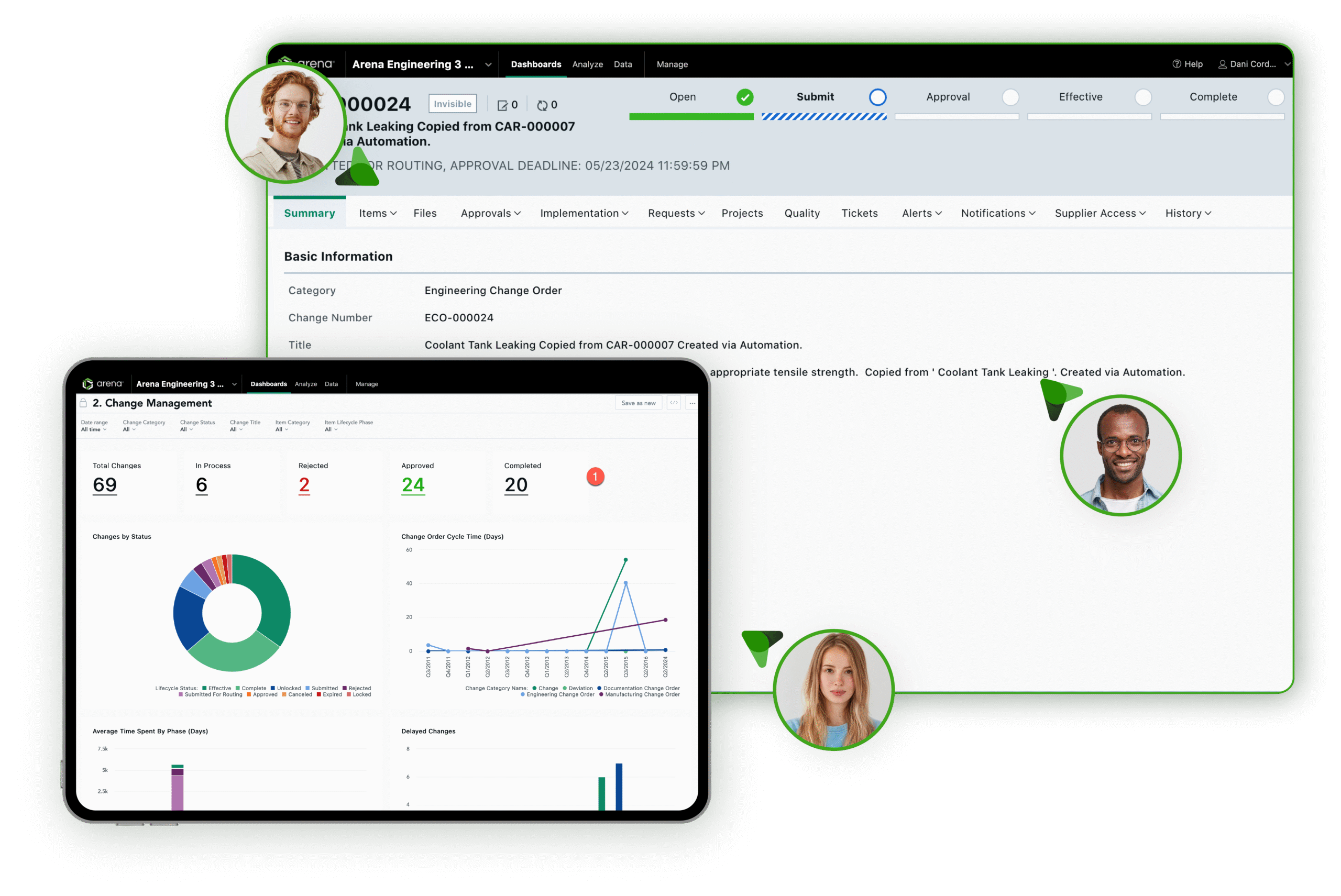
Arena provides out-of-the-box reporting and analytics through Arena Analytics, delivering teams ready-to-use dashboards, key performance indicators (KPIs), alerts, scheduled reports, and drill-down views. Because these insights are linked to product and quality information managed in Arena, teams can identify trends, investigate bottlenecks, monitor performance, and make informed decisions without relying on a separate reporting system.
Arena Analytics provides business intelligence tailored to product development and quality management. Teams can review product lifecycle management (PLM) and quality management system (QMS) information in a connected environment, rather than exporting data to spreadsheets or manually compiling reports.
Out-of-the-box reporting and analytics capabilities include:
Together, these capabilities turn Arena records into actionable information for performance monitoring and follow-up analysis.
Arena Analytics is designed to make routine reporting accessible without requiring users to write code or build a reporting system from scratch. This can reduce the burden on IT teams and analytics specialists for common reporting needs. Engineering, quality, operations, and management teams can access information related to their work without waiting for someone else to build every report.
Arena also provides analytics as part of its cloud environment. Therefore, companies do not need to deploy separate hardware or supporting infrastructure to begin using Arena’s standard analytics capabilities.

Arena analytics can provide insight into several key areas of product lifecycle and quality management. Available analytics can cover items, requests, changes, suppliers, supplier items, projects, quality processes, and training information. Aggregating this information helps companies evaluate performance and identify bottlenecks across product development stages. Engineering teams can analyze change activities; quality teams can monitor quality processes, including CAPAs; operations teams can assess product and supplier information; and program managers can track project progress.
This connected approach can also reduce reliance on separate departmental reporting methods. Teams can work from information maintained in the same PLM and QMS systems rather than comparing reports compiled from disconnected sources.

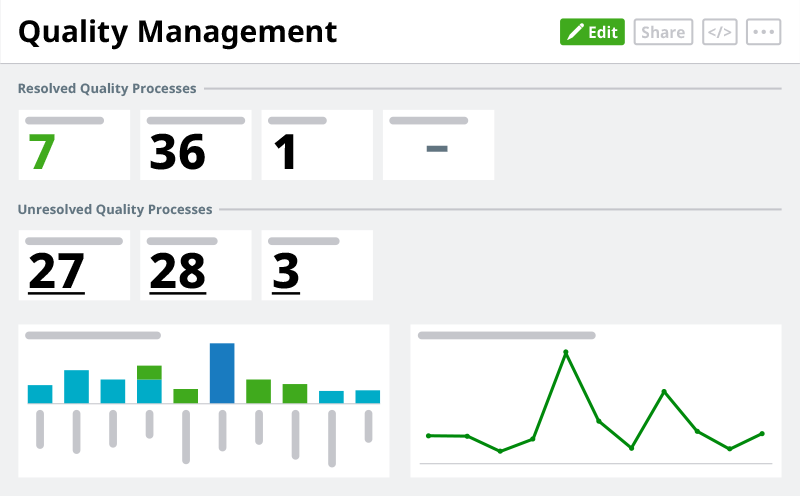
Yes, Arena provides out-of-the-box, role-based dashboards that can be embedded on the Arena homepage, helping users quickly access information tied to their responsibilities. Different teams can use dashboards to monitor the information most relevant to their work. Product teams can examine changes and product development activity; program managers can monitor project progress; operations teams can evaluate change trends; and quality teams can review quality process information.
Role-based dashboards make analytics accessible to employees who are not reporting specialists by presenting key metrics and trends in a format aligned with common product development and quality activities.
Arena analytics supports KPIs that give organizations a high-level view of product and quality performance, helping teams identify areas needing attention without reviewing records individually. Arena also supports alerts based on KPI thresholds. These alerts can help teams recognize potential issues when performance meets a defined threshold, giving stakeholders an opportunity to investigate before the issue has a larger impact.
When a KPI signals a problem, users can drill into the underlying data. This enables teams to link a performance indicator to the Arena records that contribute to it and better understand what may be driving the result.
Arena Analytics lets teams examine trends and apply filters to narrow the information they review. This can help organizations move beyond basic reporting and investigate why product development or quality performance may be changing. For example, teams may use analytics to identify patterns across engineering changes, supplier performance, quality processes, training, or project activity. Once a potential issue is identified, users can examine the underlying information to determine which records or processes are driving the trend.
This visibility can be valuable when organizations aim to improve processes. Rather than relying solely on individual observations or manually compiled reports, teams can use PLM and QMS data to pinpoint where additional attention is needed.
Arena Analytics supports scheduled report distribution, helping companies deliver recurring information to stakeholders without requiring employees to manually prepare each report. Reports can be emailed in common formats, including XLSX, CSV, and PDF.
Scheduled reporting can support management updates, program reviews, quality reporting, and other recurring business processes. Teams can establish a consistent reporting schedule while reducing the administrative burden of collecting and distributing information.
This capability can also help organizations keep distributed stakeholders informed. Employees and other authorized stakeholders can consistently receive relevant information, even when working across locations or functions.
Yes, Arena offers additional analytics customization through the analytics designer, available with Arena Enterprise Packages. The Arena Analytics Designer enables organizations to create and share dashboards and insights tailored to their reporting needs.
Companies can also use custom attributes in filters and insights to analyze information based on how their organization structures product and quality data. This gives teams more flexibility when standard dashboards do not meet specialized reporting needs.
Organizations can start with Arena’s out-of-the-box reporting capabilities and scale their analytics as requirements evolve. This provides a path from standard reporting to more tailored business intelligence without replacing the underlying PLM and QMS environment.
Reporting becomes more useful when teams can link metrics directly to the product and to the quality information behind them. Arena brings product records, engineering changes, quality processes, supplier information, projects, and training data into a connected cloud-native PLM and QMS platform.
Arena Analytics uses this information to help teams monitor performance and investigate potential problems. Rather than treating reporting as a separate activity, companies can use analytics to understand what is happening across product development and quality processes and then examine the records associated with those results.
For companies evaluating Arena, standard analytics capabilities provide visibility without launching a custom business intelligence project, while Analytics Designer offers a path to more specialized dashboards and insights as reporting needs mature.
Arena Analytics provides ready-to-use dashboards, reports, KPIs, filters, trend analysis, alerts, and drill-down capabilities. These tools help teams monitor product development and quality performance using information managed within Arena.
Arena Analytics can provide reporting and insights across items, requests, changes, suppliers, supplier items, projects, quality processes, and training information. This gives different teams visibility into data for both PLM and QMS activities.
Yes. Arena supports scheduled report distribution, including email delivery in formats such as XLSX, CSV, and PDF. This can reduce the manual work involved in preparing and distributing recurring reports.
Yes. Arena provides drill-down capabilities that let users investigate information associated with dashboards and KPIs. This helps teams move from identifying a trend or issue to examining the underlying records that may be contributing to it.
Yes. Analytics designer, available with Arena enterprise packages, enables organizations to create and share dashboards and insights to meet more specific reporting requirements. Companies can use Arena’s standard analytics capabilities as a starting point and expand reporting as their needs become more complex.





Arena PLM software streamlines product development so you can deliver products under budget and ahead of schedule.
Arena QMS helps you ensure regulatory compliance and faster delivery of life-enhancing products to your customers.